Wallpapers for Black Butler1.1
Publisher Description
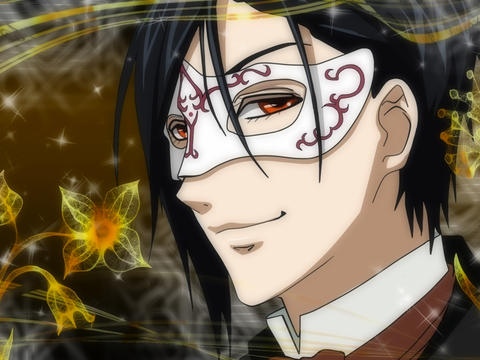
Cool Black Butler Wallpapers bring you a really wonderful wallpaper collection of Manga Black Butler! Hope you Enjoy it.
The story is about Sebastian Michaelis, a demonic butler who is bound by a supernatural contract to serve Ciel Phantomhive,
the 12 year old head of the Phantomhive noble family, and in return Sebastian will obtain Ciel's soul
when Ciel has finished all of his tasks including getting revenge on the people who killed his parents;
after that Sebastian is then allowed to kill him and take his soul.
>>>Come on, if you like the story, you will attract by the beautiful wallpapers.
***App Features:***
- HD WALLPAPER
- Save it to your own wallpaper easily
- Share with friends through facebook, twitter and email
- New wallpapers update daily
- High speed
Maybe you have already owned some manga wallpapers, but this one is quite beautiful and cute, why not have a try!
Requires iOS 3.2 or later. Compatible with iPad.
About Wallpapers for Black Butler
The company that develops Wallpapers for Black Butler is Zhenxi LIU. The latest version released by its developer is 1.1.
To install Wallpapers for Black Butler on your iOS device, just click the green Continue To App button above to start the installation process. The app is listed on our website since 2012-09-23 and was downloaded 73 times. We have already checked if the download link is safe, however for your own protection we recommend that you scan the downloaded app with your antivirus. Your antivirus may detect the Wallpapers for Black Butler as malware if the download link is broken.
How to install Wallpapers for Black Butler on your iOS device:
- Click on the Continue To App button on our website. This will redirect you to the App Store.
- Once the Wallpapers for Black Butler is shown in the iTunes listing of your iOS device, you can start its download and installation. Tap on the GET button to the right of the app to start downloading it.
- If you are not logged-in the iOS appstore app, you'll be prompted for your your Apple ID and/or password.
- After Wallpapers for Black Butler is downloaded, you'll see an INSTALL button to the right. Tap on it to start the actual installation of the iOS app.
- Once installation is finished you can tap on the OPEN button to start it. Its icon will also be added to your device home screen.
